
Ending an EVRIMA session is a game process, not simply a closed window. Find a place to stop, read the resting logout prompt and stay attentive until that process completes. A countdown that has started is different from a logout that has finished.
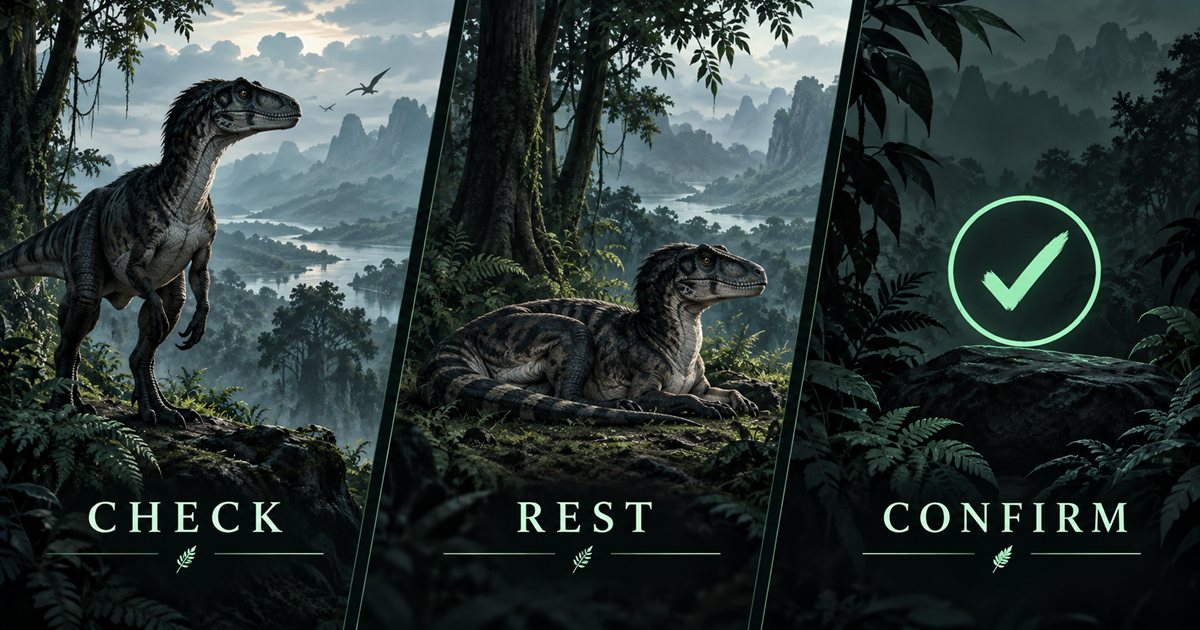
This guide explains the reference flow, stopping-place decisions and common misunderstandings. Its three AI-generated illustrations are conceptual artwork, not screenshots of the current logout interface. They contain no verified countdown or guaranteed safe hiding spot. Check your actual game prompts and current server guidance.
How to safe log in The Isle EVRIMA
The community EVRIMA basic-controls reference lists H for resting and holding H for sleeping and safe logout. That reference is not developer documentation or a substitute for the current interface. Use your own binding if it differs, and follow the prompt the game actually displays.
- Move to a stopping place you have inspected and check your surroundings.
- Use the bound rest action; H is the community reference default.
- Once resting, use the displayed sleep/safe-logout action. The reference describes holding H.
- Watch the live countdown and remain attentive to your surroundings.
- Allow the game to complete the logout flow and verify its completion before closing the application.
Do not replace the visible countdown with a remembered number of seconds. Older guides describe different branches and versions. The current prompt is more useful than assuming your session must match a video exactly.
Choose where to stop before starting the countdown
Look at the immediate ground and nearby activity. A place directly beside drinking access, a feeding area or a busy route may attract other animals while you wait. Move away from activity you can see, but do not trade it for a long trip across terrain you cannot assess.
Check whether the ground is level enough to understand and whether you have a practical departure if the situation changes. Vegetation may interrupt your own view as well as another player's. Concealment is an observation choice, not proof that nobody noticed you arrive.
A large landmark is useful for orientation but may be a poor place to remain. Use it to describe your general area to companions, then inspect where you actually intend to rest. A minimap label cannot identify a guaranteed logout spot.
If you are at water, complete the departure from the bank before starting a long pause. Inspect the route rather than assuming a short distance on the map means easy ground. Our water guide and weather guide cover those approaches.
Resting and waiting: keep the game in view
Starting to rest is not the same as finishing logout. Read the prompt after the animal settles and confirm the expected flow has begun. If there is no relevant prompt or countdown, do not assume a sleeping-looking pose has silently completed the process.
Remain attentive while waiting. Check for changing activity and avoid treating the countdown as protection against an approaching animal. A quiet start does not guarantee that the situation will remain quiet until completion.
Check your condition before settling. If bleeding, thirst or another visible need is urgent, decide how to address it instead of assuming logout will solve the problem before the flow finishes. Our injury guide explains condition checks. This article does not claim resting grants immunity or a universal recovery rate.
Keep the game visible until the expected transition is complete. Closing the minimap, minimising a window or suspending the PC does not send the same instruction as the game's own logout flow. If you need a short real-world break, do not assume an open menu pauses the multiplayer session.
If danger appears, reassess instead of trusting the timer
Learn the current cancel or get-up input in a quiet situation before you depend on it under pressure. If an animal approaches during the countdown, use the game's available controls and assess your immediate position. Do not assume taking damage automatically cancels the flow or that you become safe the moment a timer begins.
If you interrupt the attempt, check the current state again. Are you standing, moving or still in the logout sequence? Repeated inputs can make your intention unclear. Establish what the game shows before starting another attempt.
Move only over ground you can inspect and obey the server's rules. The guide does not recommend using logout to avoid an active encounter or promise that an interrupted attempt retains progress. When the area remains active, acknowledge that the stopping plan has changed.
Ordinary quit, crash and disconnect are different situations
Do not treat an ordinary quit button or a force-close as evidence that safe logout completed. Community descriptions distinguish the resting flow from abrupt departure; they also differ about exact persistence periods. This guide therefore gives no universal body-removal timer and no claim that one exit mistake always has the same outcome.
If the game crashes or your connection drops, record the server and what happened before the interruption. When you can reconnect normally, check the character state on that server. Avoid making a new character, changing settings or repeatedly force-closing solely because one ambiguous message appeared.
A server restart is also separate from your player-controlled logout attempt. Read the server's announcement and verify the result after it returns. Neither a restart nor an application window disappearing proves that every part of character persistence completed successfully.
Returning to EVRIMA: verify the server and character
Before rejoining, confirm the branch and server you intended to return to. A similarly named community server or a different branch is not necessarily the same session destination. Keep enough identifying information to distinguish the server without sharing private access details publicly.
Read what the game offers before selecting a new spawn. If the expected character is absent, check current restart, wipe or update announcements and contact the server's appropriate support channel. A safe logout guide cannot recover a deleted character or override server administration.
Once back in the game, inspect your condition and immediate surroundings before continuing the previous journey. Update your map position when coordinates are visible rather than treating a marker from yesterday's session as current evidence.
Tell companions when you are ending the session
Say that you are stopping before friends plan another journey around you. Agree on a general landmark if needed, but leave each player responsible for inspecting their own resting place and completing their own logout.
Tell the group when the process has finished, rather than announcing departure as soon as the countdown starts. This reduces confusion about whether a resting animal still needs attention or whether a player is expected to respond to a changed route.

What TheIsleMinimap can and cannot confirm
The app supplies Gateway references and your latest accepted coordinate update. Copy Asset Location or use approved local reading while Lat and Long are visible. Reading does not continue while the coordinate panel is hidden.
Complete the logout process in The Isle before closing the companion.
Use the coordinates guide for refreshing your position when returning. If the issue is with the companion app, use support tickets; character or game-server problems belong with the relevant game/server support.
Safe logout questions
What key starts the reference flow?
The community reference lists H to rest and holding H for sleep/safe logout. Your current binding and visible prompt take priority.
Does safe logout guarantee preservation through every crash or wipe?
No. Complete the intended flow, then check the character when returning. This guide cannot guarantee server persistence or recover progress.
Does leaving the minimap squad log me out of the game?
No. App squad membership and the game's character/logout systems are separate.