

Playing together in The Isle EVRIMA involves three separate steps: join the same game server, find one another, then confirm in-game group membership. Being nearby or speaking in voice chat does not complete the invitation. A private TheIsleMinimap squad is another separate system for sharing map positions.
Use the same EVRIMA branch and exact server, meet as compatible dinosaurs, then use the held friendly-call invitation and response. The usual friendly-call binding is 2; check your own controls. Confirm the result in the game's group interface before setting off together.
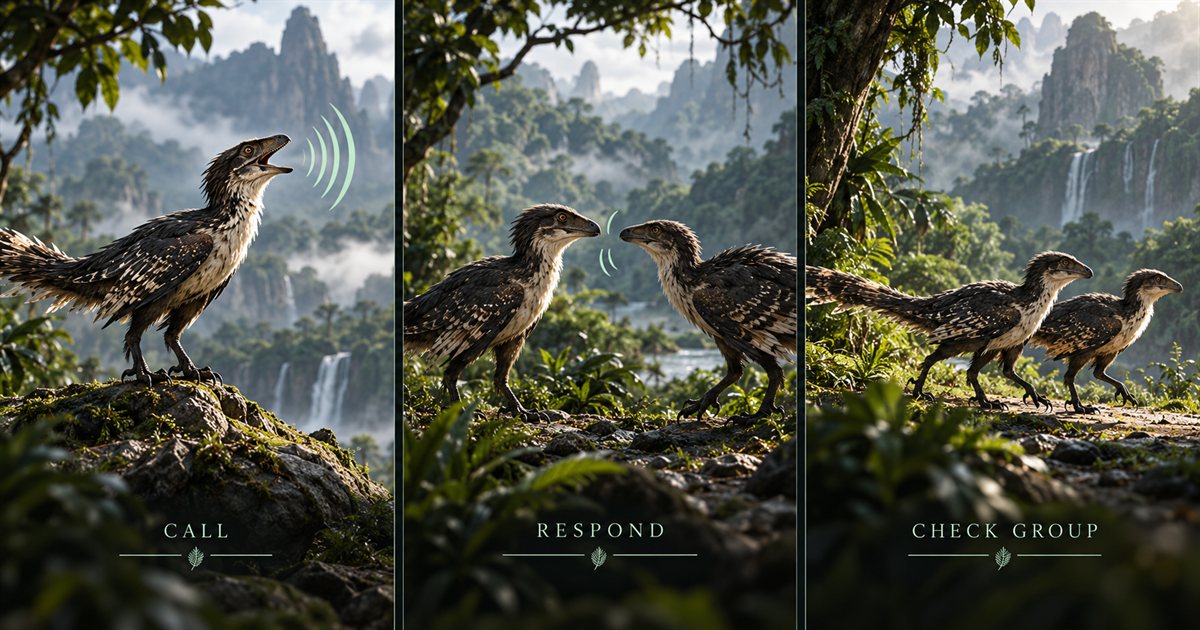
This guide focuses on the invitation workflow, ordinary pack or herd coordination and common mistakes. The three AI-generated illustrations are conceptual artwork, not screenshots of the current group interface. Server rules and the eligibility shown by your current game determine which grouping arrangements are available.
Start with the same branch, server and grouping plan
Compare the exact server name before choosing a dinosaur or planning a meeting point. A similarly named server in another region is still a different session. Check that everyone is using the intended EVRIMA branch rather than Legacy or a test branch. Our server guide covers browser filters, updates and problems joining.
Agree on compatible species and a sensible starting plan. For a first invitation test, using the same species removes one source of confusion. Read the community's grouping rules before assuming that travelling together, mixed-species cooperation and formal game membership all follow the same policy.
Once spawned, establish each player's actual location. Refresh Asset Location rather than relying on a remembered spawn name or yesterday's marker. Choose a recognisable landmark that both players can approach, and solve urgent food or water needs before making the reunion a long sprint.
How to send and accept an EVRIMA group invitation
The documented EVRIMA workflow uses a held friendly call for inviting or accepting. In a standard keyboard layout, that is the 2 call. A quick tap can simply produce the ordinary friendly vocal, so distinguish the sound from the longer grouping interaction.
- Meet the intended player where you can identify one another and inspect the surroundings.
- Check your friendly-call binding in the game's control settings if you have changed your layout.
- Have one player hold the friendly-call input to start the invitation.
- Have the intended recipient use the corresponding held friendly-call response, following any visible prompt.
- Check the game's group information for the expected member or membership state.
- Only then begin the next journey or invite another eligible player.
The developer's 0.7.111.31 patch notes explicitly introduced holding the friendly call for invitations and acceptance. Those are historical instructions, not a promise of an exact hold duration or unchanged interface artwork. Your current binding, visible response and confirmed membership are the checks that matter.
Check membership before relying on it
Open the game's group information and look for the intended players. Compare what both sides see if the result is unclear. Voice chat, a familiar skin or a nearby animal's friendly call can help you communicate, but none is a substitute for the actual membership display.
When you want to leave, use the game's available group-management or leave control and confirm the changed state. Do not assume closing the panel, walking away or leaving a minimap squad also leaves the in-game group. Menu wording can change between builds, so identify the group action rather than using an unrelated logout control.
Tell the others when you are leaving, changing species or ending your session. Membership and server rules are separate questions: leaving a group does not automatically make every subsequent action acceptable on a community server. Read the operator's rules if a dispute or restriction arises.
What to check when a group invitation does not work
| Symptom | Useful check | What to try |
|---|---|---|
| You cannot find the other player | Exact server, branch and fresh position | Confirm the session before planning another route. |
| You hear a call but see no membership change | Tap versus hold, and the recipient's response | Try the invitation deliberately, then inspect the group information. |
| The key does something else | Custom binding or an open chat/menu field | Return focus to the game and check the friendly-call action. |
| The intended player cannot join | Current group membership, eligibility and available capacity | Read the game's response rather than repeatedly sending invitations. |
| A friend appears in the minimap but not the game group | Which system you joined | Complete the in-game grouping process separately. |
Try one invitation at a time. If both players repeatedly call while several nearby animals are responding, it becomes harder to identify which interaction succeeded. Agree who initiates, allow the response, then compare the result before retrying.
This guide gives no universal group-size number. Capacity can depend on species, current game rules and the server. A four-player app squad does not establish a four-player limit for every pack or herd in The Isle. Check the game and server information for the arrangement you intend.
Make the group useful during ordinary travel
Agree on the next objective before everyone moves. Decide whether you are reaching water, looking for suitable food or meeting another member. A single recognisable destination is easier to coordinate than several people following different distant markers.
Travel at a pace that works for the current group. Different life stages and conditions can make the same journey feel very different. Say when you need to stop, check stamina before a difficult approach and avoid treating the fastest member's route as the only practical option.
Use short updates when the plan changes: stopping at the tree line, taking another bank, or returning to the previous landmark. The calls and sounds guide helps separate communication from assumptions about every noise. A call can announce your presence to more than the person you intended.
After a death, establish a new reunion plan instead of expecting the player to resume the old route immediately. The respawn guide covers fresh coordinates and early priorities. Group coordination works best when it reflects the dinosaur each person has now.
How an in-game group differs from a TheIsleMinimap squad
An in-game pack or herd is managed by The Isle. A private app squad is managed inside TheIsleMinimap. Joining either one does not automatically create membership in the other, move anyone to another server or change which species the game allows to group.
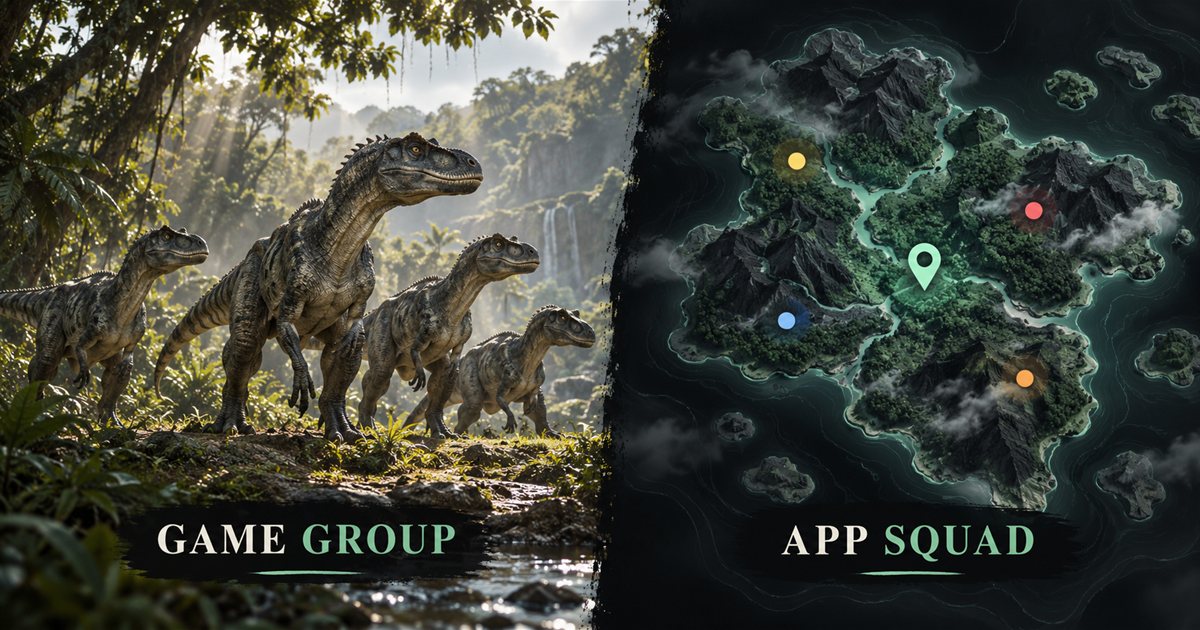
Squad plans provide a private app group for up to four players, using latest shared positions and one destination pin. Each participant needs their own eligible Squad access. Solo Lifetime provides local map tools. The app does not send game-group invitations or reveal everyone on the server.
Refresh your own position by copying Asset Location or using your configured local reading mode while the coordinate area is visible. A friend's marker represents their latest accepted update. It may be older than their actual position if they have moved without refreshing it.
If the problem is missing app markers, follow the squad troubleshooting guide. If the game rejects a group invitation, check the game's interaction, eligibility and server rules instead. Keeping those questions separate makes troubleshooting much clearer.
EVRIMA grouping questions
Does a friendly call prove someone joined?
No. Complete the invitation and response, then inspect the group information.
Can we group across different game servers?
You need the same game session to meet and group in The Isle. A private minimap squad does not transfer players between servers.
Does joining an app squad change community-server rules?
No. Follow the server's grouping and cooperation rules independently of the companion's map-sharing features.